Theming
It is possible to configure your application and/or the containing controls to follow a particular themes.
App-wide themes
The Page control (uppermost control in the tree) has two useful properties for this: theme
and dark_theme properties to configure the appearance/theme of the entire app in light and
dark theme modes respectively.
Both of type Theme, they represent the default/fallback themes to be used app-wide,
except explicitly modified/overriden in the tree.
page.theme = ft.Theme(color_scheme_seed=ft.Colors.GREEN)
page.dark_theme = ft.Theme(color_scheme_seed=ft.Colors.BLUE)
Surfaces
The seed color drives accent colors (primary, secondary, tertiary and their containers).
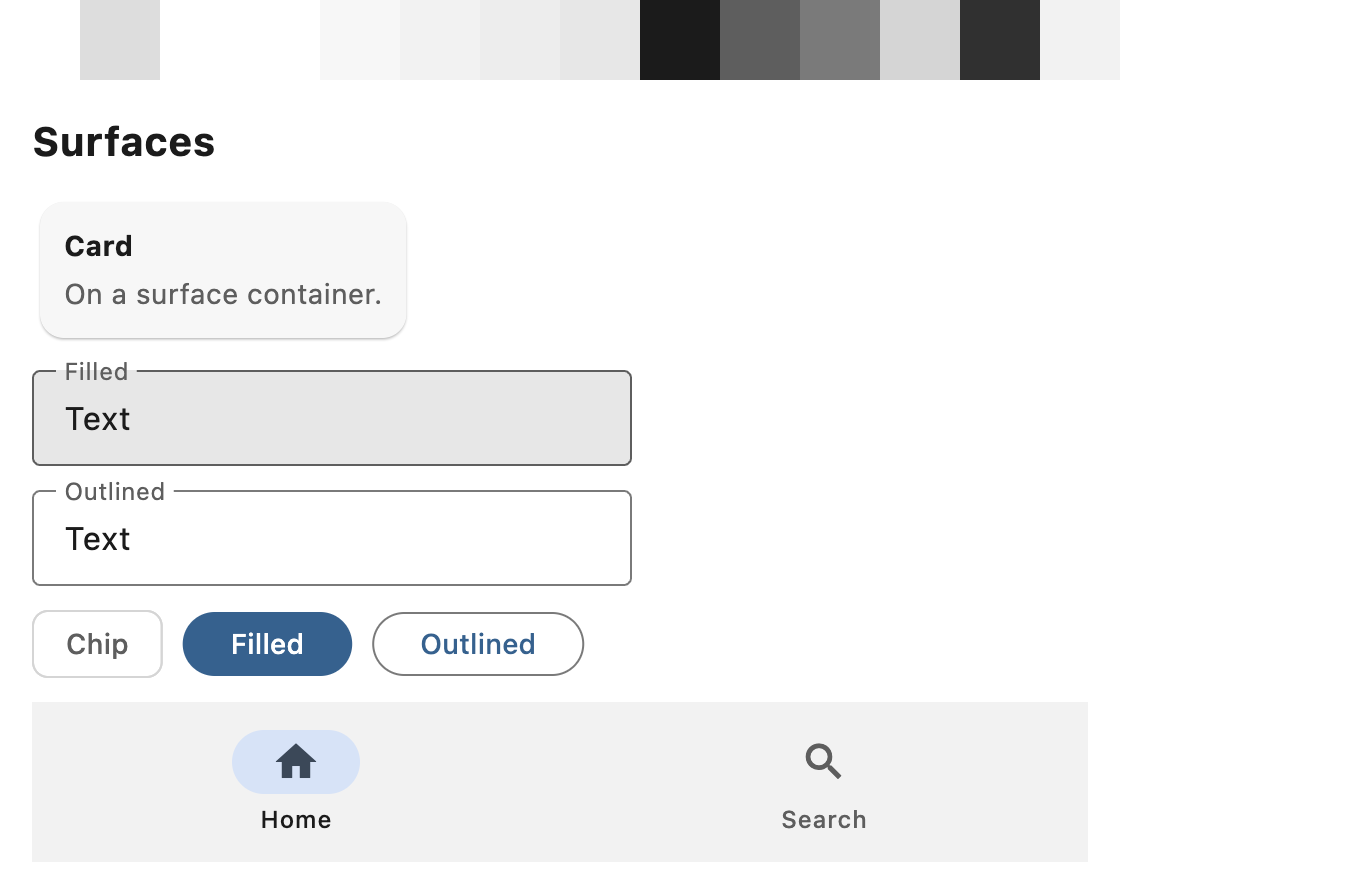
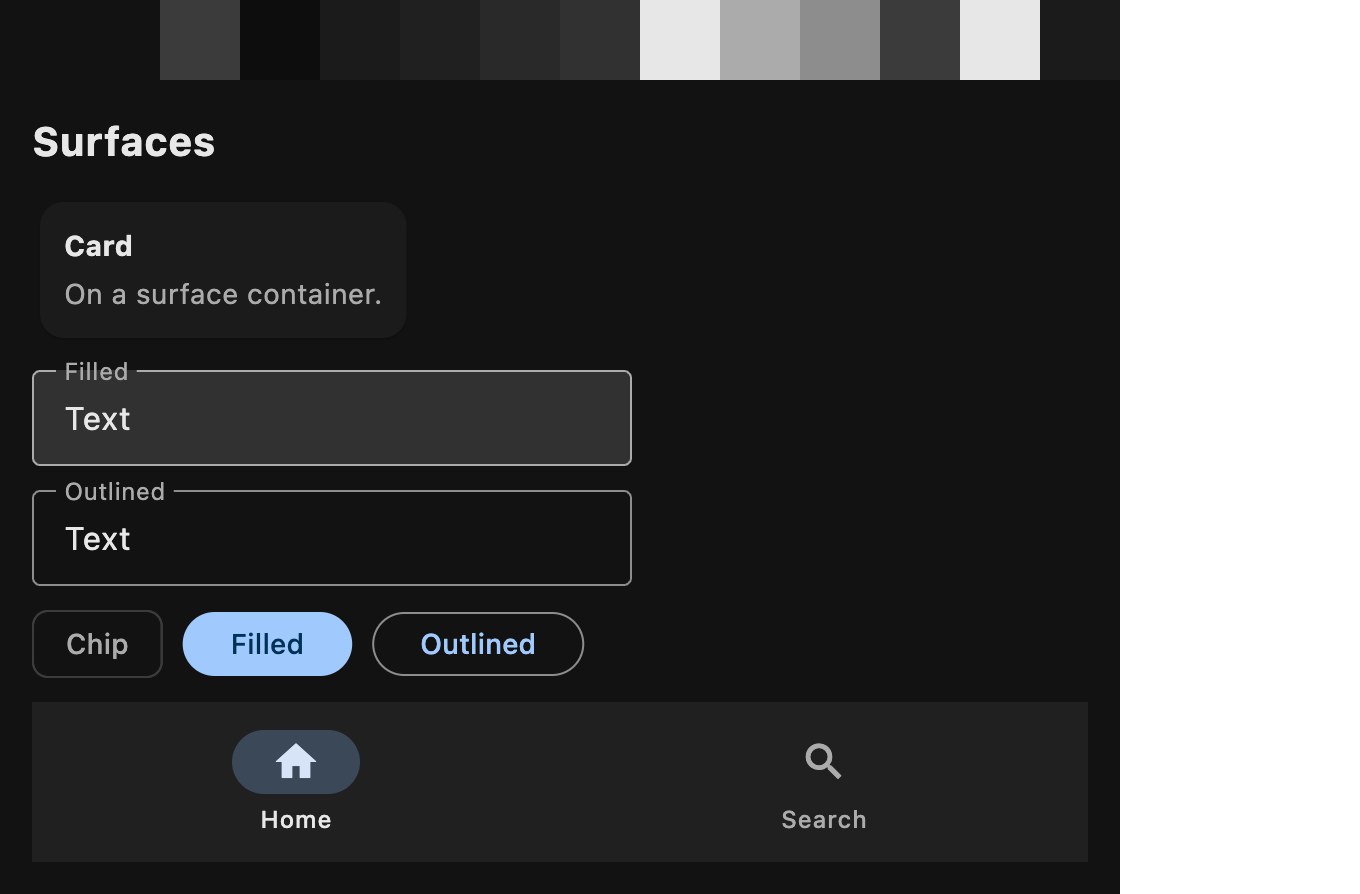
Surfaces - page background, cards, dialogs, menus, text fields - use a neutral grey ramp:
white in light mode and near-black (#121212) in dark mode.
To tint surfaces with the seed hue, as in the Material 3 default color scheme, set
Theme.surfaces to
ThemeSurfaces.TONAL:
page.theme = ft.Theme(
    color_scheme_seed=ft.Colors.GREEN,
    surfaces=ft.ThemeSurfaces.TONAL,
)
Colors set explicitly in Theme.color_scheme
always win over both neutral and tonal surfaces.
Neutral surface colors:
| Color scheme role | Light | Dark |
|---|---|---|
surface | #ffffff | #121212 |
surface_dim | #dddddd | #121212 |
surface_bright | #ffffff | #3b3b3b |
surface_container_lowest | #ffffff | #0d0d0d |
surface_container_low | #f7f7f7 | #1b1b1b |
surface_container | #f2f2f2 | #202020 |
surface_container_high | #ededed | #292929 |
surface_container_highest | #e7e7e7 | #313131 |
on_surface | #1b1b1b | #e7e7e7 |
on_surface_variant | #5e5e5e | #ababab |
outline | #7a7a7a | #8d8d8d |
outline_variant | #d5d5d5 | #3b3b3b |
inverse_surface | #303030 | #e7e7e7 |
on_inverse_surface | #f2f2f2 | #1b1b1b |
All other roles (primary, secondary, tertiary, error, their containers and
"on" colors, surface_tint and so on) come from the seed in both modes.
Neutral (light and dark):
Tonal (light and dark):
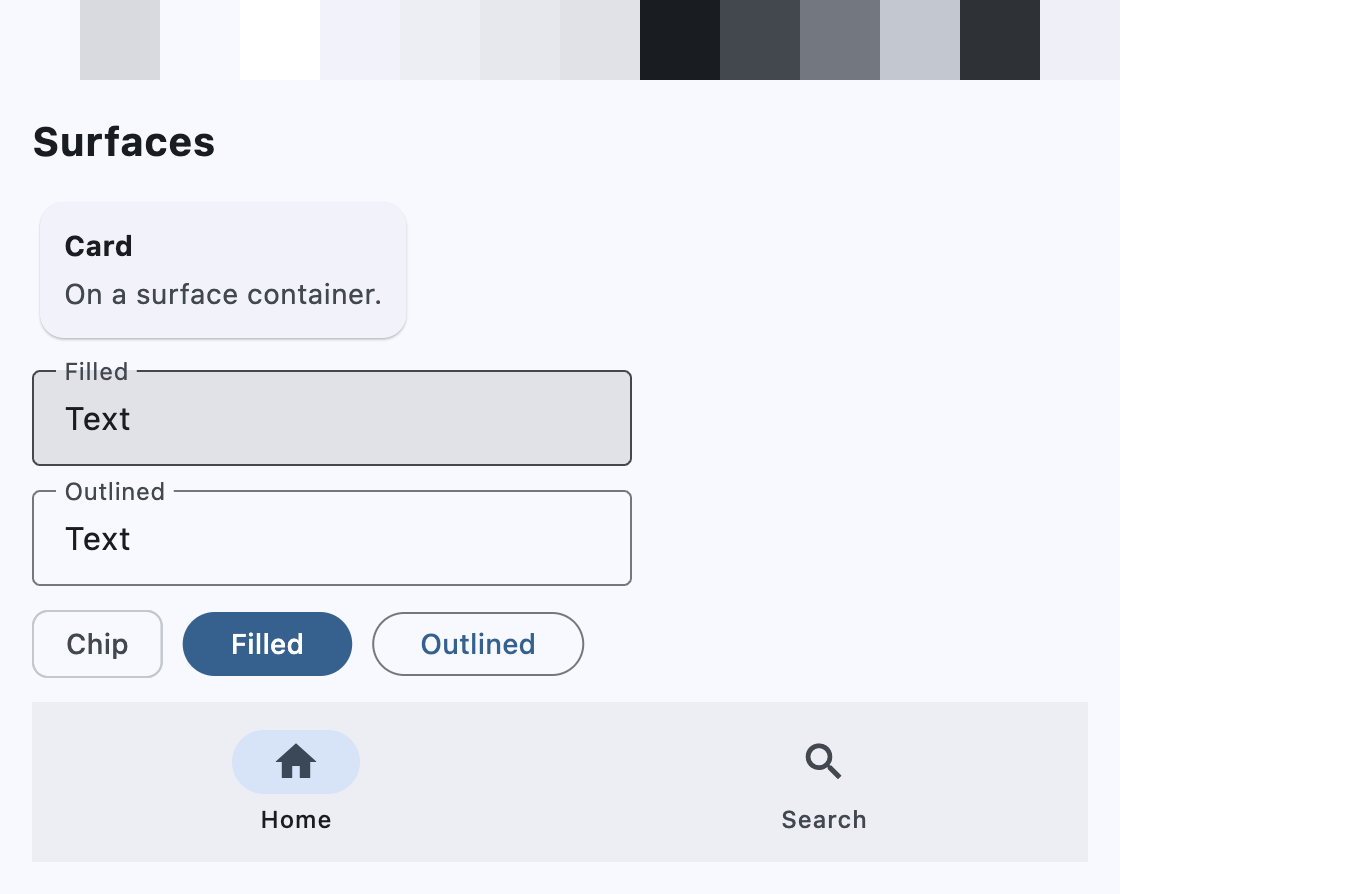
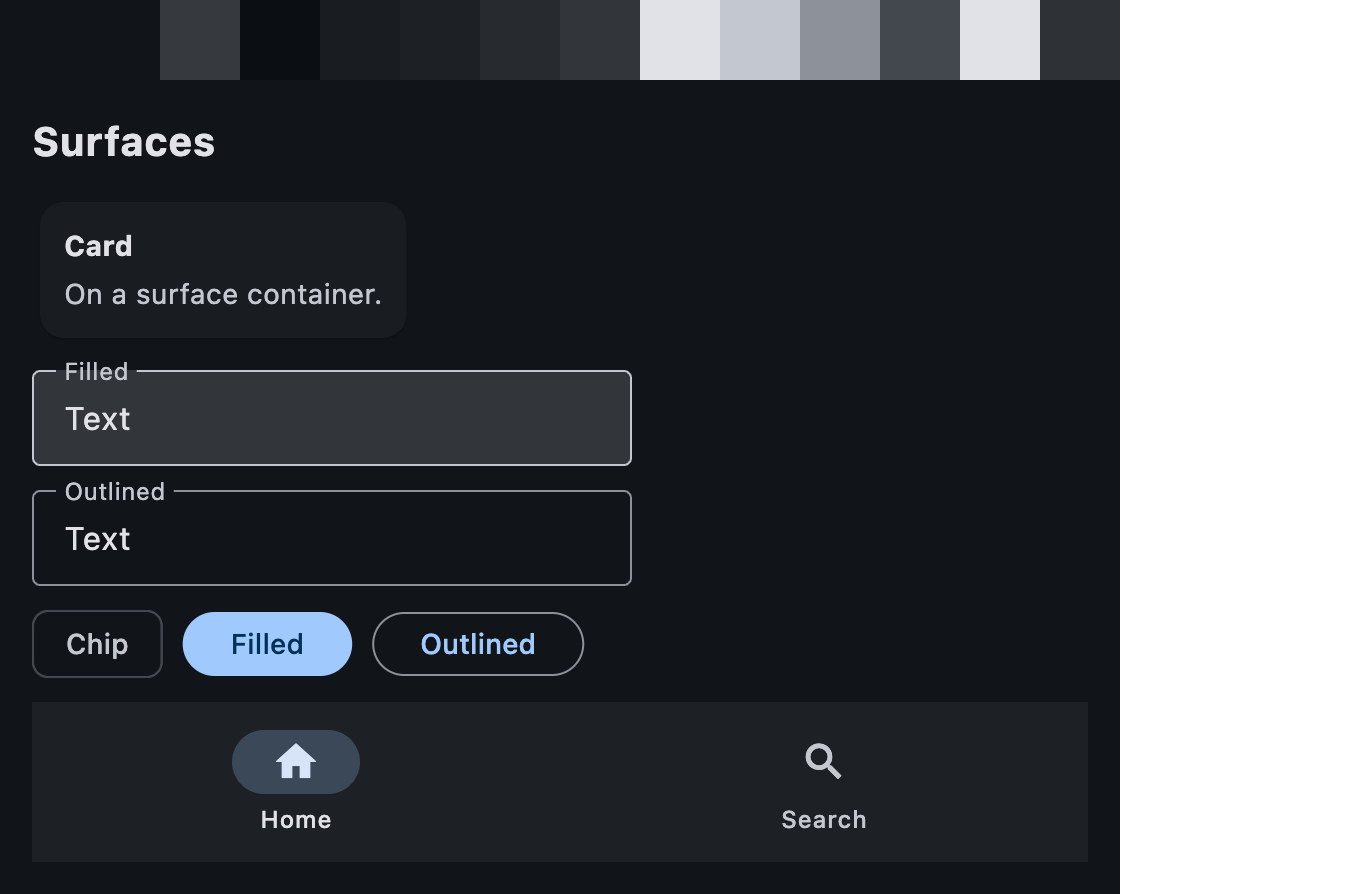
Before Flet 1.1.0, surfaces were always tinted with the seed hue. See Default theme surfaces are now neutral.
Seed color with overrides
color_scheme_seed and color_scheme can be combined: the seed generates the
whole scheme, then any color set in color_scheme replaces just that role. This
is handy for matching brand colors exactly while keeping everything else
derived from the seed:
import flet as ft

def main(page: ft.Page):
    page.theme = ft.Theme(
        color_scheme_seed=ft.Colors.INDIGO,
        color_scheme=ft.ColorScheme(
            primary="#3f51b5",         # exact brand primary
            secondary=ft.Colors.AMBER, # accent not derived from the seed
            surface="#fafafa",         # off-white page background
        ),
    )
    page.dark_theme = ft.Theme(
        color_scheme_seed=ft.Colors.INDIGO,
        color_scheme=ft.ColorScheme(
            primary="#9fa8da",
            secondary=ft.Colors.AMBER_200,
        ),
    )

    page.add(
        ft.FilledButton("Primary"),
        ft.FilledTonalButton("Secondary container (from seed)"),
        ft.Chip(label=ft.Text("Secondary"), bgcolor=ft.Colors.SECONDARY),
    )

ft.run(main)
The overrides are applied on top of the surfaces mode, so with
surfaces=ft.ThemeSurfaces.TONAL the roles you don't override stay tinted.
Nested themes
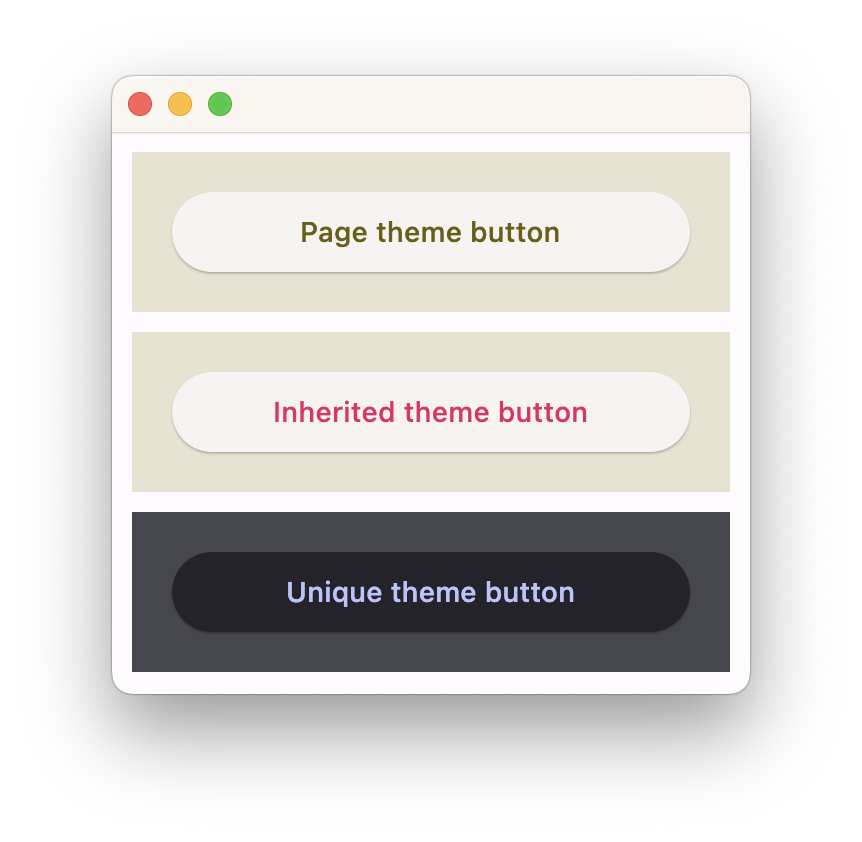
You can have a part of your app to use a different theme or override some theme styles for specific controls.
Some container-like controls have theme and theme_mode properties of type
Theme and ThemeMode respectively.
Specifying theme_mode in the Container means you don't want to inherit parent theme mode,
but want a completely new, unique scheme for all controls inside the container.
However, if the container does not have theme_mode property set then the styles from its theme property
will override the ones from the parent inherited theme:
import flet as ft

def main(page: ft.Page):
    # Yellow page theme with SYSTEM (default) mode
    page.theme = ft.Theme(
        color_scheme_seed=ft.Colors.YELLOW,
    )

    page.add(
        # Page theme
        ft.Container(
            content=ft.Button("Page theme button"),
            bgcolor=ft.Colors.SURFACE_CONTAINER_HIGHEST,
            padding=20,
            width=300,
        ),

        # Inherited theme with primary color overridden
        ft.Container(
            theme=ft.Theme(color_scheme=ft.ColorScheme(primary=ft.Colors.PINK)),
            content=ft.Button("Inherited theme button"),
            bgcolor=ft.Colors.SURFACE_CONTAINER_HIGHEST,
            padding=20,
            width=300,
        ),

        # Unique always DARK theme
        ft.Container(
            theme=ft.Theme(color_scheme_seed=ft.Colors.INDIGO),
            theme_mode=ft.ThemeMode.DARK,
            content=ft.Button("Unique theme button"),
            bgcolor=ft.Colors.SURFACE_CONTAINER_HIGHEST,
            padding=20,
            width=300,
        ),
    )

ft.run(main)