Dialog
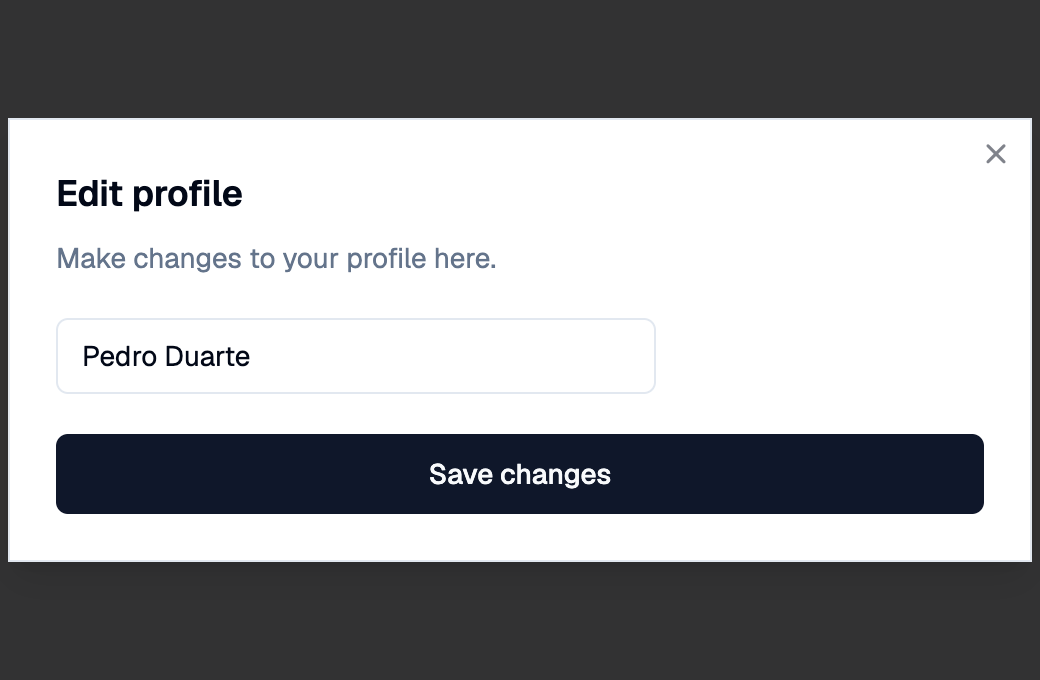
A Shadcn dialog: a window over the page that the user must deal with before going back to it.
Open it with Page.show_dialog and close it with
Page.pop_dialog, like AlertDialog.
Example:
page.show_dialog(
    shad.Dialog(
        title="Edit profile",
        description="Make changes to your profile here.",
        content=shad.Input(value="Pedro Duarte"),
        actions=[shad.Button("Save changes", on_click=save)],
    )
)
Inherits: DialogControl
Properties
Example
Shadcn Dialog
play_arrowTry Online
import flet_shadcn_ui as shad

import flet as ft


def main(page: ft.Page):
    page.title = "Shadcn Dialog"

    def field(label: str, value: str) -> ft.Row:
        return ft.Row(
            controls=[
                ft.Text(label, width=80, text_align=ft.TextAlign.RIGHT),
                shad.Input(value=value, expand=True),
            ]
        )

    def save(e: ft.Event[shad.Button]):
        page.pop_dialog()
        # pop_dialog() sends its own update, so the page is not auto-updated
        # after this handler; send the status change explicitly.
        status.value = "Profile saved"
        status.update()

    def delete(e: ft.Event[shad.Button]):
        page.pop_dialog()
        status.value = "Account deleted"
        status.update()

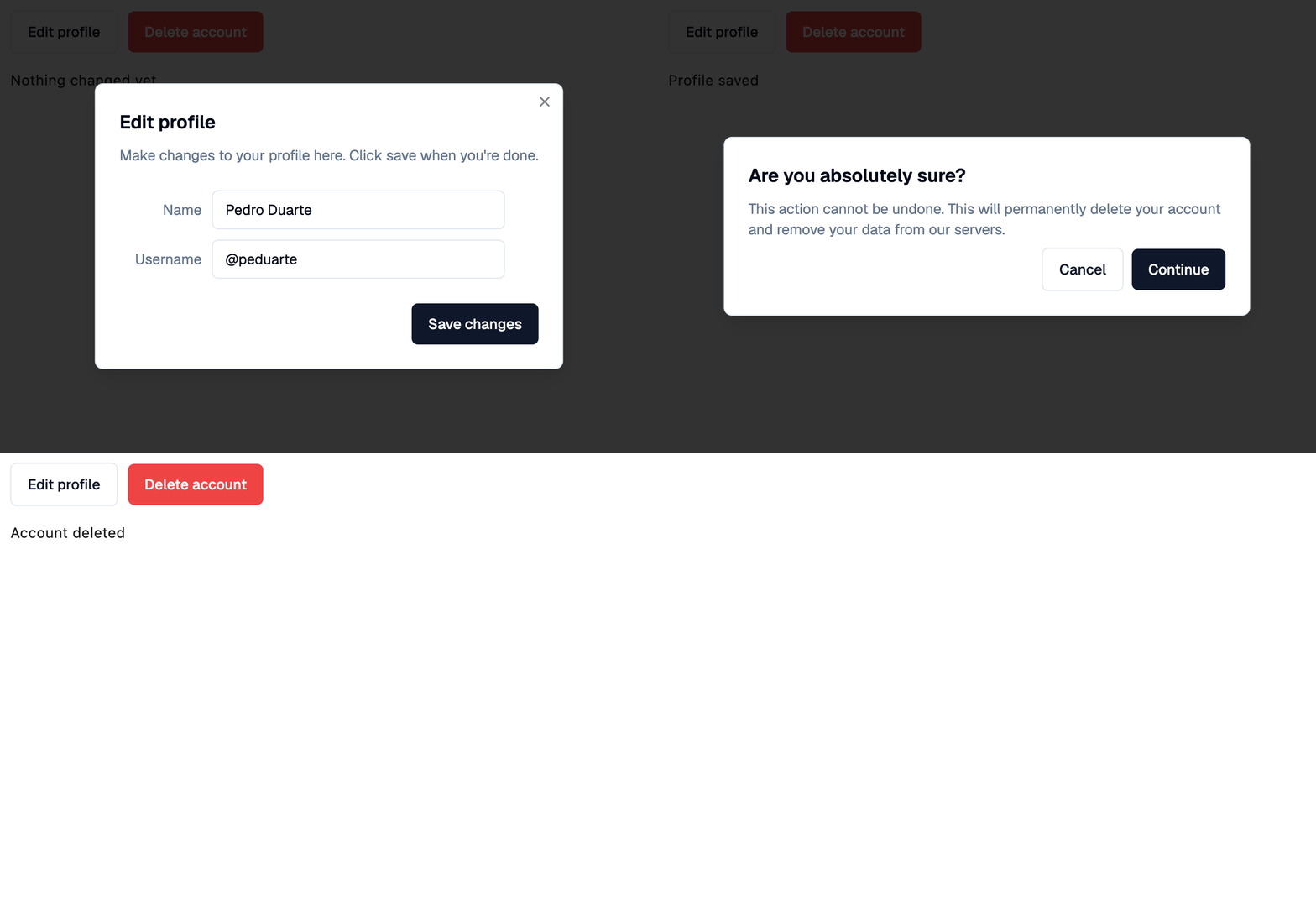
    profile_dialog = shad.Dialog(
        title="Edit profile",
        description="Make changes to your profile here. Click save when you're done.",
        content=ft.Container(
            width=375,
            padding=ft.Padding.symmetric(vertical=16),
            content=ft.Column(
                tight=True,
                controls=[
                    field("Name", "Pedro Duarte"),
                    field("Username", "@peduarte"),
                ],
            ),
        ),
        actions=[shad.Button("Save changes", on_click=save)],
    )

    delete_dialog = shad.Dialog(
        variant=shad.DialogVariant.ALERT,
        modal=True,
        title="Are you absolutely sure?",
        description=(
            "This action cannot be undone. This will permanently delete your "
            "account and remove your data from our servers."
        ),
        actions=[
            shad.Button(
                "Cancel",
                variant=shad.ButtonVariant.OUTLINE,
                on_click=lambda e: page.pop_dialog(),
            ),
            shad.Button("Continue", on_click=delete),
        ],
    )

    status = ft.Text("Nothing changed yet")

    page.add(
        ft.SafeArea(
            content=ft.Column(
                spacing=16,
                controls=[
                    ft.Row(
                        controls=[
                            shad.Button(
                                "Edit profile",
                                variant=shad.ButtonVariant.OUTLINE,
                                on_click=lambda e: page.show_dialog(profile_dialog),
                            ),
                            shad.Button(
                                "Delete account",
                                variant=shad.ButtonVariant.DESTRUCTIVE,
                                on_click=lambda e: page.show_dialog(delete_dialog),
                            ),
                        ]
                    ),
                    status,
                ],
            )
        )
    )


if __name__ == "__main__":
    ft.run(main)
Properties
actionsclass-attributeinstance-attribute
actions: list[Control] = field(default_factory=list)The buttons shown at the bottom, usually Button
controls.
contentclass-attributeinstance-attribute
content: Control | None = NoneThe main content of this dialog.
descriptionclass-attributeinstance-attribute
description: StrOrControl | None = NoneThe text shown below title.
modalclass-attributeinstance-attribute
modal: bool = FalseWhether the dialog stays open when the user clicks outside it.
variantclass-attributeinstance-attribute
variant: DialogVariant = DialogVariant.PRIMARYThe visual variant of this dialog.