Sheet
A Shadcn sheet: a panel that slides in from an edge of the screen.
Open it with Page.show_dialog and close it with
Page.pop_dialog.
Example:
page.show_dialog(
    shad.Sheet(
        side=shad.SheetSide.RIGHT,
        title="Settings",
        content=shad.Switch(label="Notifications"),
    )
)
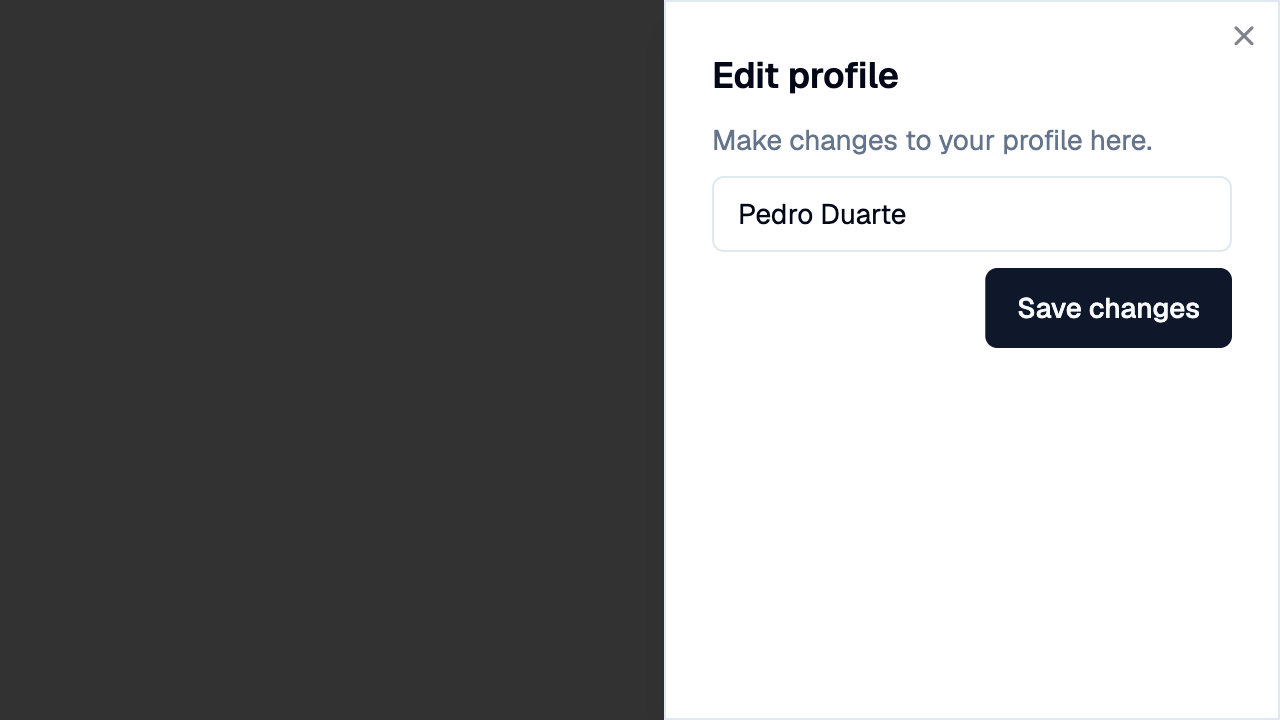
Inherits: DialogControl
Properties
actions- The buttons shown at the bottom, usuallyButtoncontrols.content- The main content of this sheet.description- The text shown belowtitle.modal- Whether the sheet stays open when the user clicks outside it.side- The edge of the screen the sheet slides in from.title- The title of this sheet.
Example
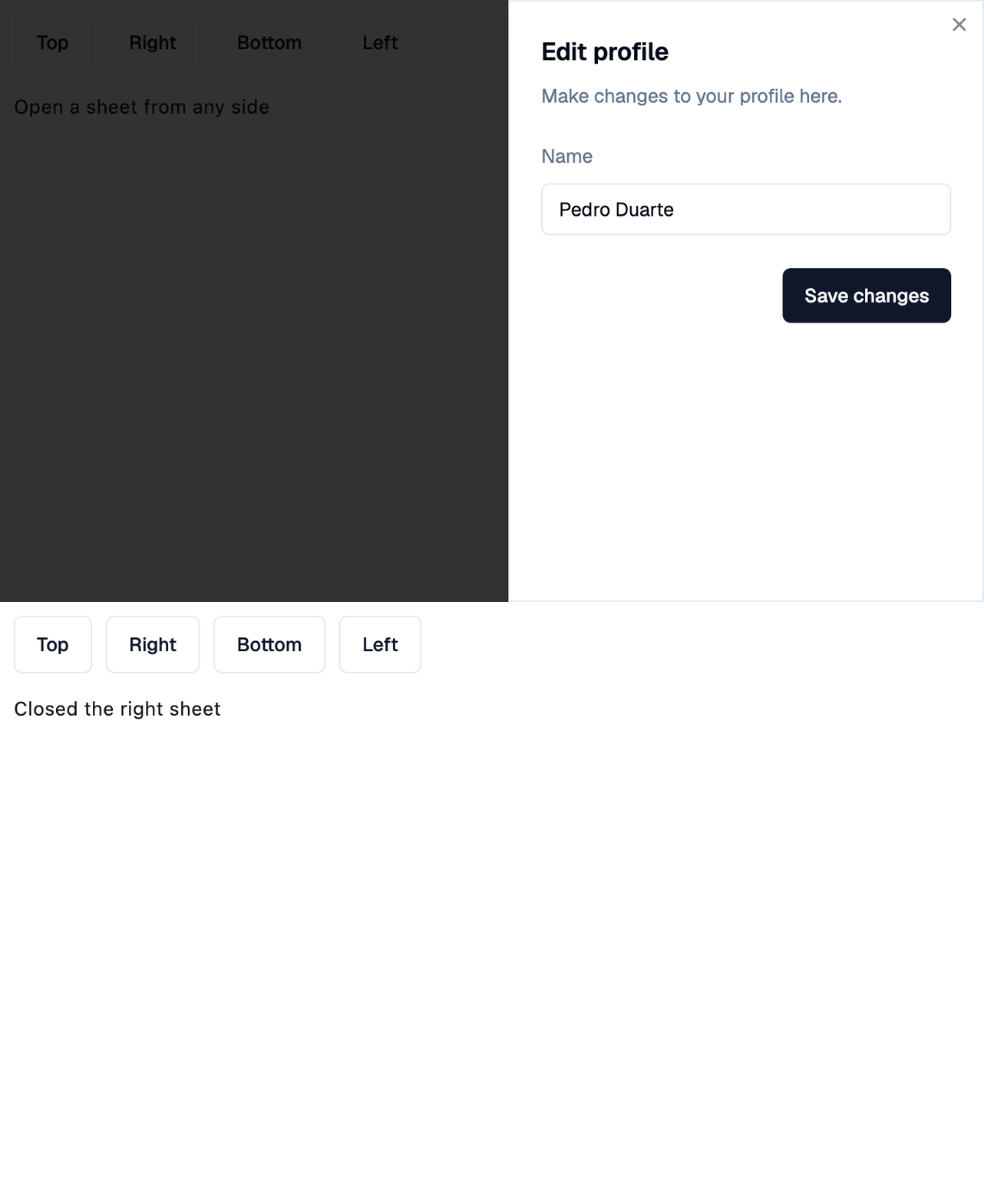
Shadcn Sheet
play_arrowTry Online
import flet_shadcn_ui as shad

import flet as ft


def main(page: ft.Page):
    page.title = "Shadcn Sheet"

    def handle_dismiss(e: ft.Event[shad.Sheet]):
        # Closing a dialog sends its own update, so the page is not
        # auto-updated after this handler; send the status change explicitly.
        status.value = f"Closed the {e.control.side.value} sheet"
        status.update()

    def open_sheet(side: shad.SheetSide):
        page.show_dialog(
            shad.Sheet(
                side=side,
                title="Edit profile",
                description="Make changes to your profile here.",
                content=ft.Container(
                    padding=ft.Padding.symmetric(vertical=16),
                    content=ft.Column(
                        tight=True,
                        controls=[
                            ft.Text("Name"),
                            shad.Input(value="Pedro Duarte", width=300),
                        ],
                    ),
                ),
                actions=[
                    shad.Button("Save changes", on_click=lambda e: page.pop_dialog())
                ],
                on_dismiss=handle_dismiss,
            )
        )

    status = ft.Text("Open a sheet from any side")

    page.add(
        ft.SafeArea(
            content=ft.Column(
                spacing=16,
                controls=[
                    ft.Row(
                        controls=[
                            shad.Button(
                                side.value.title(),
                                variant=shad.ButtonVariant.OUTLINE,
                                on_click=lambda e, side=side: open_sheet(side),
                            )
                            for side in shad.SheetSide
                        ]
                    ),
                    status,
                ],
            )
        )
    )


if __name__ == "__main__":
    ft.run(main)
Properties
actionsclass-attributeinstance-attribute
actions: list[Control] = field(default_factory=list)The buttons shown at the bottom, usually Button
controls.
contentclass-attributeinstance-attribute
content: Control | None = NoneThe main content of this sheet.
descriptionclass-attributeinstance-attribute
description: StrOrControl | None = NoneThe text shown below title.
modalclass-attributeinstance-attribute
modal: bool = FalseWhether the sheet stays open when the user clicks outside it.
sideclass-attributeinstance-attribute
side: SheetSide = SheetSide.BOTTOMThe edge of the screen the sheet slides in from.