TimePicker
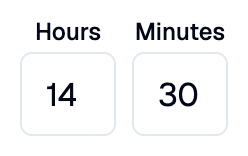
A Shadcn time picker with hour and minute fields.
Example:
shad.TimePicker(on_change=lambda e: print(e.control.value))
Inherits: LayoutControl
Properties
description- Helper text shown below this picker.error_text- An error message shown in red below this picker.hour_label- The label above the hour field.label- The label shown above this picker.minute_label- The label above the minute field.period- Whether to use a 12-hour clock with an AM/PM selector.value- The selected time.
Events
on_change- Called when the user changes the time.
Example
Shadcn TimePicker
play_arrowTry Online
import datetime

import flet_shadcn_ui as shad

import flet as ft


def main(page: ft.Page):
    page.title = "Shadcn TimePicker"

    def show_meeting(value: datetime.time | None):
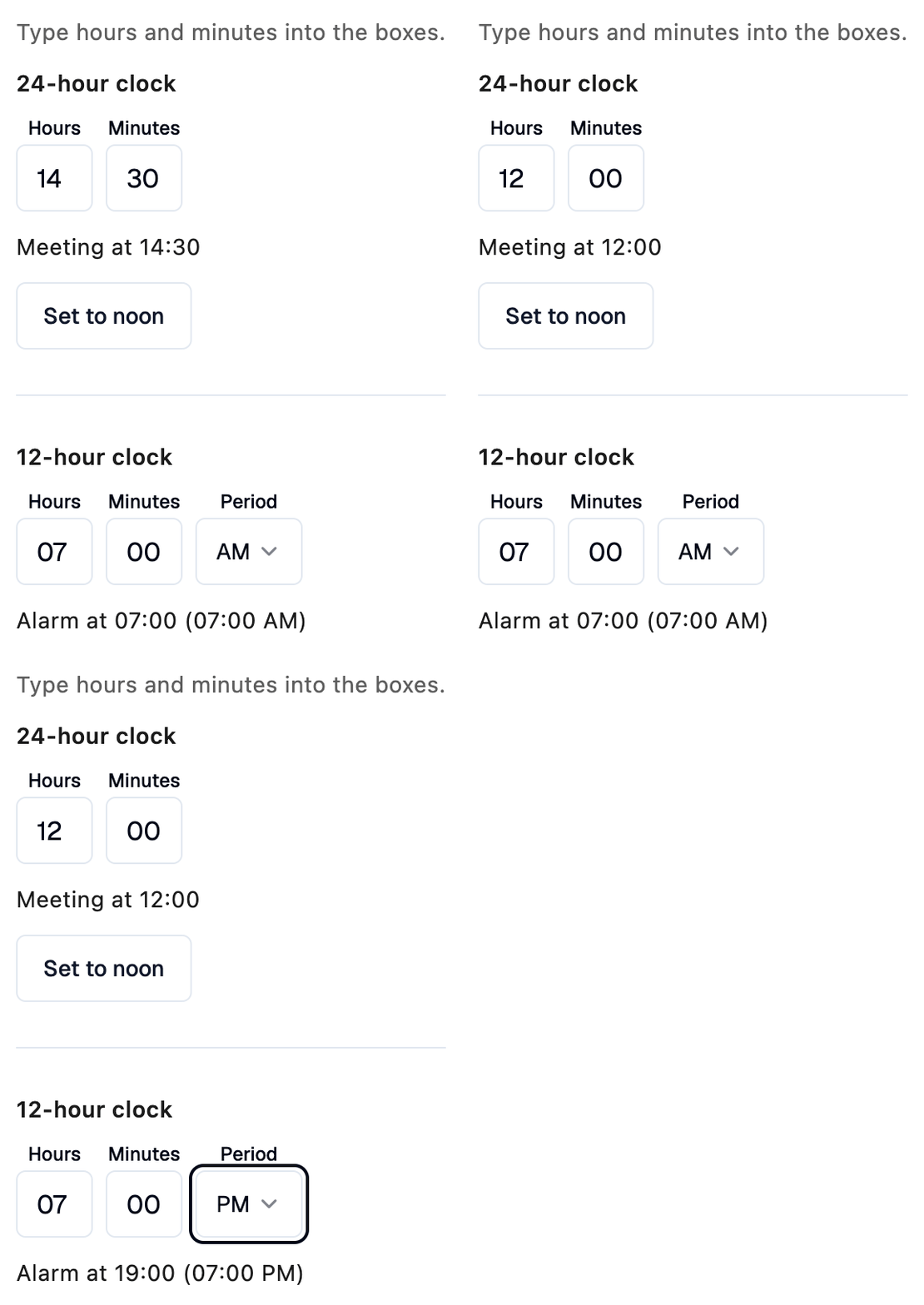
        meeting.value = f"Meeting at {value.strftime('%H:%M') if value else '--:--'}"

    def show_alarm(value: datetime.time | None):
        # value is always 24-hour time, even though the picker shows AM/PM.
        alarm.value = (
            f"Alarm at {value.strftime('%H:%M')} ({value.strftime('%I:%M %p')})"
            if value
            else "Alarm not set"
        )

    def set_noon(e: ft.Event[shad.Button]):
        meeting_picker.value = datetime.time(12, 0)
        show_meeting(meeting_picker.value)

    meeting_picker = shad.TimePicker(
        value=datetime.time(14, 30),
        on_change=lambda e: show_meeting(e.control.value),
    )
    meeting = ft.Text()
    show_meeting(meeting_picker.value)

    alarm_picker = shad.TimePicker(
        value=datetime.time(7, 0),
        period=True,
        on_change=lambda e: show_alarm(e.control.value),
    )
    alarm = ft.Text()
    show_alarm(alarm_picker.value)

    page.add(
        ft.SafeArea(
            content=ft.Column(
                spacing=12,
                controls=[
                    ft.Text(
                        "Type hours and minutes into the boxes.",
                        color=ft.Colors.ON_SURFACE_VARIANT,
                    ),
                    ft.Text("24-hour clock", weight=ft.FontWeight.W_600),
                    meeting_picker,
                    meeting,
                    shad.Button(
                        "Set to noon",
                        variant=shad.ButtonVariant.OUTLINE,
                        on_click=set_noon,
                    ),
                    shad.Separator(),
                    ft.Text("12-hour clock", weight=ft.FontWeight.W_600),
                    alarm_picker,
                    alarm,
                ],
            )
        )
    )


if __name__ == "__main__":
    ft.run(main)
Properties
descriptionclass-attributeinstance-attribute
description: StrOrControl | None = NoneHelper text shown below this picker.
error_textclass-attributeinstance-attribute
error_text: str | None = NoneAn error message shown in red below this picker. The field borders turn red too.
Set it after validating the value, and set it back to None (or an empty
string) to clear the error.
hour_labelclass-attributeinstance-attribute
hour_label: StrOrControl | None = NoneThe label above the hour field.
If None, "Hours" is shown.
labelclass-attributeinstance-attribute
label: StrOrControl | None = NoneThe label shown above this picker.
It turns red while error_text is set.
minute_labelclass-attributeinstance-attribute
minute_label: StrOrControl | None = NoneThe label above the minute field.
If None, "Minutes" is shown.
periodclass-attributeinstance-attribute
period: bool = FalseWhether to use a 12-hour clock with an AM/PM selector.
value is always in 24-hour time.
valueclass-attributeinstance-attribute
value: datetime.time | None = NoneThe selected time. Only hours and minutes are used.
If None, the fields are empty.
Events
on_changeclass-attributeinstance-attribute
on_change: ControlEventHandler[TimePicker] | None = NoneCalled when the user changes the time.