Table
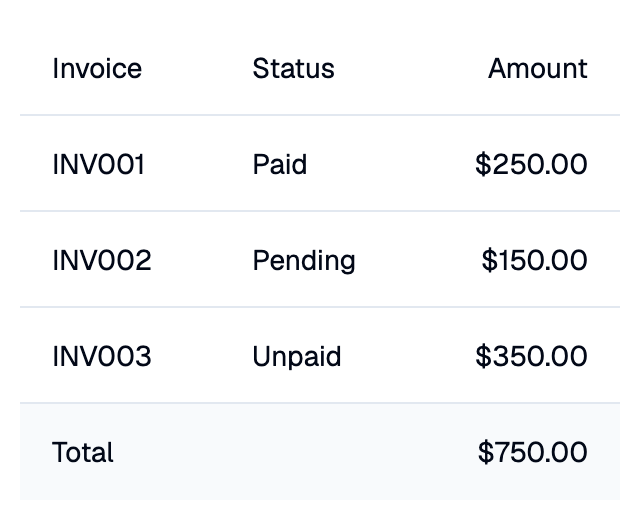
A Shadcn table with a header row, data rows and an optional footer.
The table sizes itself to its content. When it is given less space, for
example with height, it scrolls.
Example:
shad.Table(
    columns=[
        shad.TableColumn("Invoice"),
        shad.TableColumn("Status", fill=True),
        shad.TableColumn("Amount", alignment=ft.Alignment.CENTER_RIGHT),
    ],
    rows=[
        shad.TableRow(
            cells=[
                shad.TableCell("INV001"),
                shad.TableCell("Paid"),
                shad.TableCell("$250.00"),
            ]
        ),
    ],
)
Inherits: LayoutControl
Properties
columns- The columns of this table.footer- The cells of a footer row shown after the data rows, one per column.pinned_row_count- How many rows, counting the header, stay in place when the table scrolls vertically.row_height- The height of every row, including the header and footer.rows- The data rows.
Events
on_row_click- Called when a data row is clicked.
Example
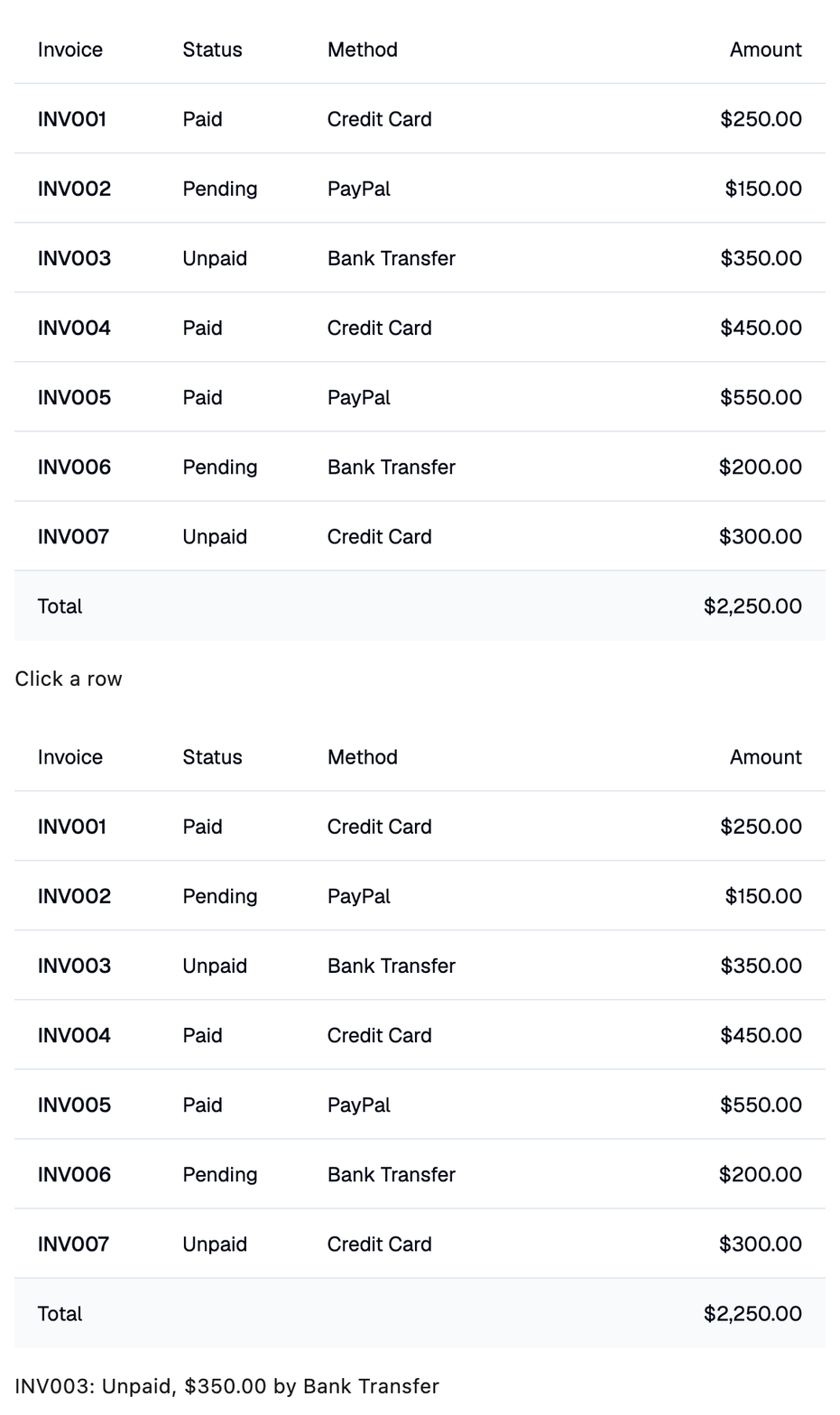
Shadcn Table
play_arrowTry Online
import flet_shadcn_ui as shad

import flet as ft

INVOICES = [
    ("INV001", "Paid", "Credit Card", 250.00),
    ("INV002", "Pending", "PayPal", 150.00),
    ("INV003", "Unpaid", "Bank Transfer", 350.00),
    ("INV004", "Paid", "Credit Card", 450.00),
    ("INV005", "Paid", "PayPal", 550.00),
    ("INV006", "Pending", "Bank Transfer", 200.00),
    ("INV007", "Unpaid", "Credit Card", 300.00),
]


def main(page: ft.Page):
    page.title = "Shadcn Table"

    def handle_row_click(e: ft.Event[shad.Table]):
        invoice, status, method, amount = INVOICES[e.data]
        selection.value = f"{invoice}: {status}, ${amount:.2f} by {method}"

    right = ft.Alignment.CENTER_RIGHT
    selection = ft.Text("Click a row")

    page.add(
        ft.SafeArea(
            content=ft.Column(
                width=560,
                spacing=16,
                controls=[
                    shad.Table(
                        on_row_click=handle_row_click,
                        columns=[
                            shad.TableColumn("Invoice"),
                            shad.TableColumn("Status"),
                            shad.TableColumn("Method", fill=True),
                            shad.TableColumn("Amount", width=120, alignment=right),
                        ],
                        rows=[
                            shad.TableRow(
                                cells=[
                                    shad.TableCell(
                                        ft.Text(invoice, weight=ft.FontWeight.W_500)
                                    ),
                                    shad.TableCell(status),
                                    shad.TableCell(method),
                                    shad.TableCell(f"${amount:.2f}"),
                                ]
                            )
                            for invoice, status, method, amount in INVOICES
                        ],
                        footer=[
                            shad.TableCell("Total"),
                            shad.TableCell(""),
                            shad.TableCell(""),
                            shad.TableCell(f"${sum(i[3] for i in INVOICES):,.2f}"),
                        ],
                    ),
                    selection,
                ],
            )
        )
    )


if __name__ == "__main__":
    ft.run(main)
Properties
columnsclass-attributeinstance-attribute
columns: list[TableColumn] = field(default_factory=list)The columns of this table.
footerclass-attributeinstance-attribute
footer: list[TableCell] = field(default_factory=list)The cells of a footer row shown after the data rows, one per column.
If empty, there is no footer.
pinned_row_countclass-attributeinstance-attribute
pinned_row_count: int = 0How many rows, counting the header, stay in place when the table scrolls
vertically. Use 1 to keep the header visible.
Raises:
- ValueError - If it is not greater than or equal to
0.
Events
on_row_clickclass-attributeinstance-attribute
on_row_click: ControlEventHandler[Table] | None = NoneCalled when a data row is clicked.
The data property of the event handler argument
contains the index of the row in rows.